
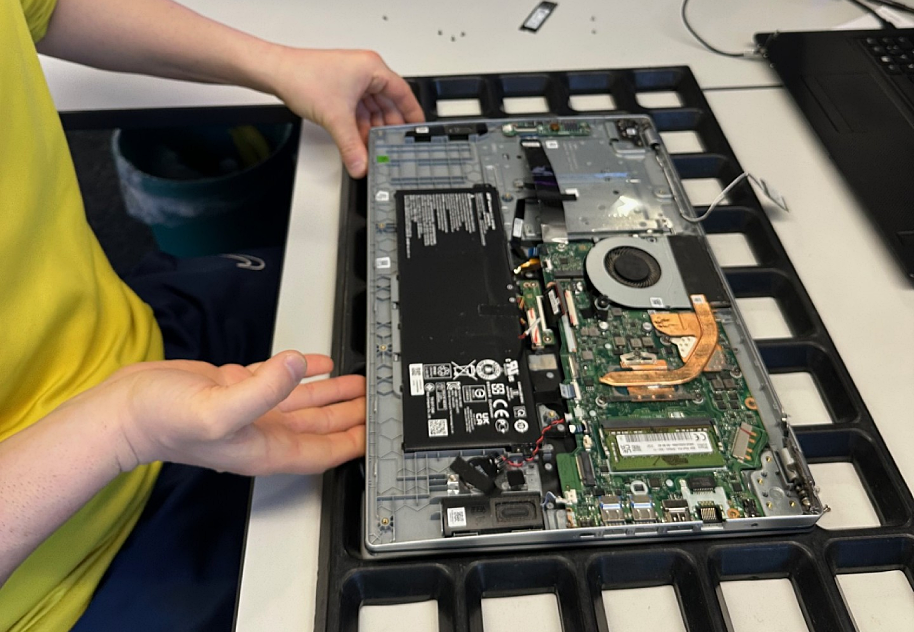
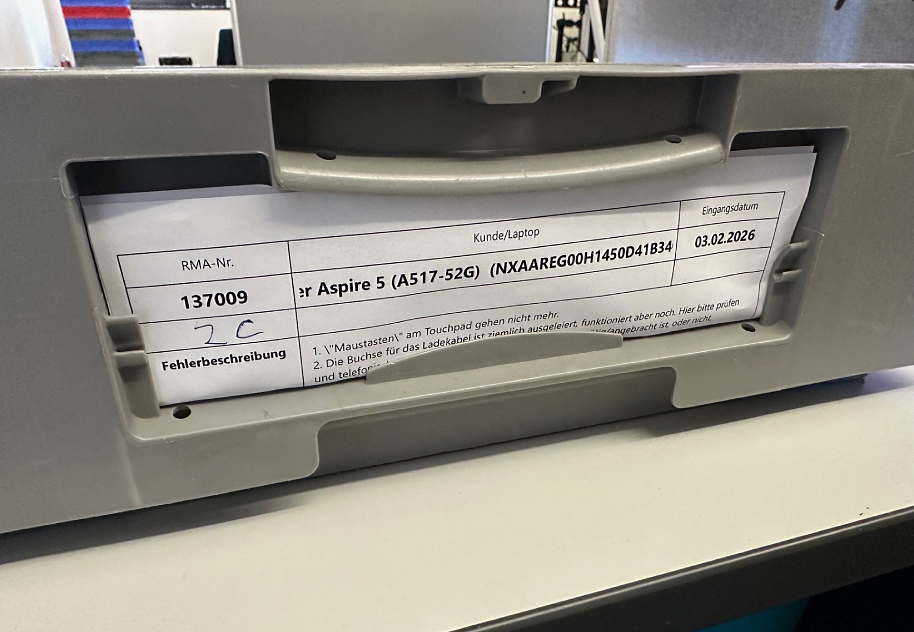
Today we’d like to highlight a typical but often underestimated issue that can occur with laptops: a loose connection at the power jack. We’re sharing a real-world case by taking a closer look at an Acer Aspire 5 (A517-52G) from our workshop.
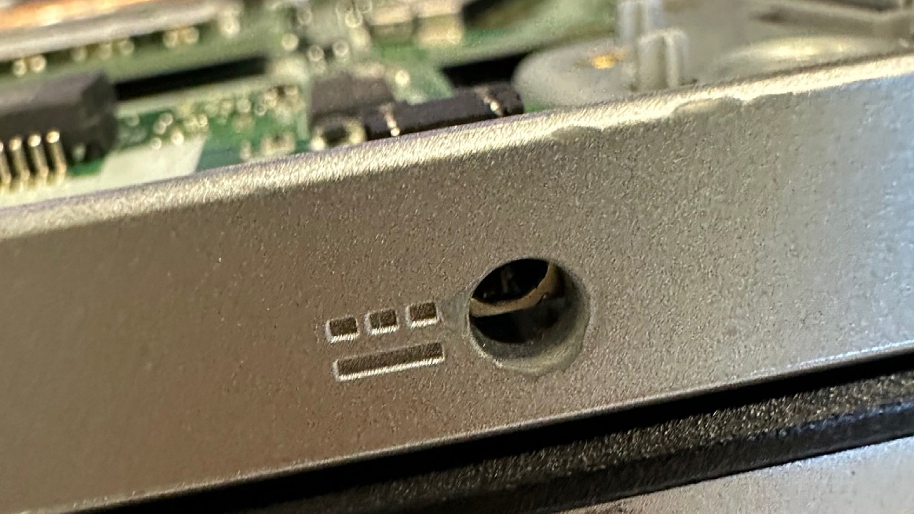
A private customer from Aichtal brought in his device because there were two issues: the touchpad mouse buttons no longer worked, and the power jack was worn out but still functioning. These mechanical and electrical contact problems can quickly get worse if they aren’t identified and fixed in time. With a loose power jack connection, there’s a risk of a short circuit that, in the worst case, can permanently destroy the motherboard. In this post, we explain what matters and how we solve this problem efficiently.

Table of Contents
Fault analysis and repair
1. Faulty touchpad
- Replacement part: Acer 56.A5FN2.001 – TOUCHPAD.SILVER.ELANTECH
- Cause: mechanical wear of the left and right mouse buttons
- Solution: replace the complete touchpad unit
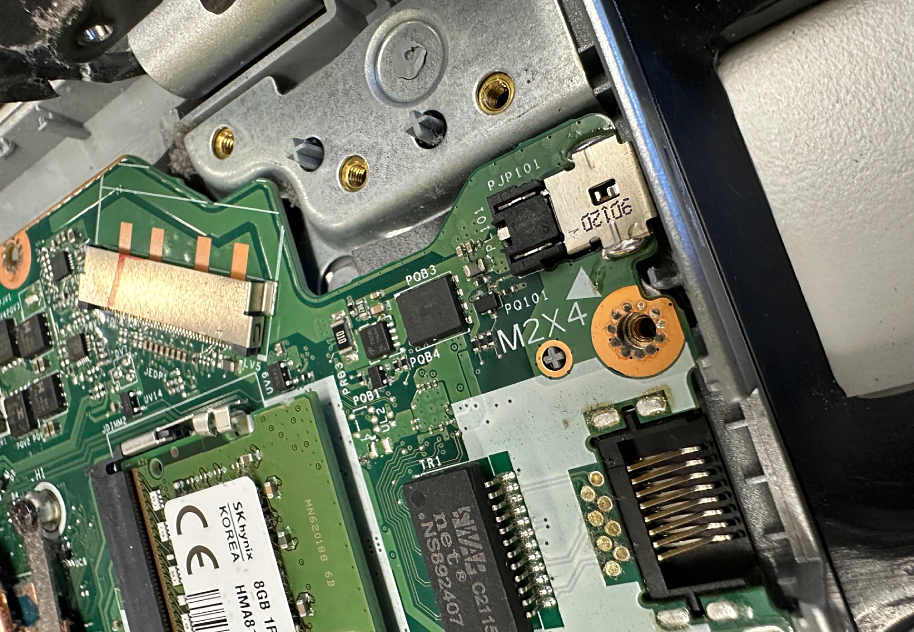
2. Loose connection at the power jack
- Repair measure: replacement with an original Acer power jack (5.5 / 1.7 mm)
- Procedure:
– Desolder the old jack and solder in the new DC jack
– Rework the connection points and reinforce them mechanically to ensure long-term stability
After both jobs, we carried out a final function and safety test (charging behavior, voltage spikes, power draw, touchpad response) – everything worked perfectly again.
Billing
For replacing the power jack, the jack replacement flat rate of €159 (including the original jack) was charged. In addition, one labor unit for the touchpad repair was added, bringing the total repair cost to €190 gross.
This made the notebook fully functional again – at a price well below the cost of a potential motherboard replacement.
Conclusion
A loose connection at the power jack is not a minor issue, but a potential hazard. Voltage fluctuations or short circuits can permanently damage the motherboard.
In this case, the customer from Aichtal did exactly the right thing by sending the device in for inspection.
Thanks to the professional repair – replacing the power jack with an original part and restoring the touchpad – the device was fully repaired in a cost-effective way.